
Step-by-Step Guide for the Event Run Sheet Template
EVENT PLANNING GUIDE
Event Run Sheet Template User Guide
Updated on September 23, 2026 | Written by Rachella Thomas
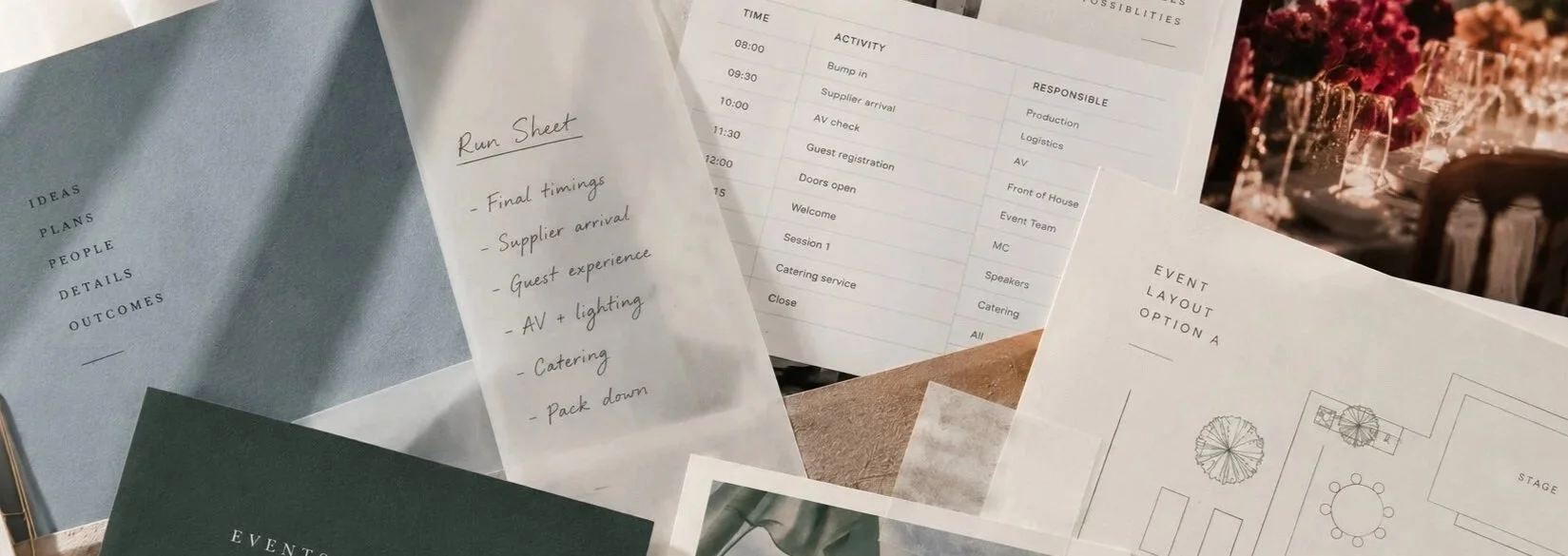
The Event Run Sheet Template gives you a clear, minute-by-minute plan for event day, bringing your timings, tasks, contacts and key information into one working document.
It’s arguably the most important document you’ll use on event day. But a run sheet is only as useful as the information you put into it.
Knowing what to include, how much detail you need, and how to make the document work for everyone involved takes a little more thought.
That’s why we’ve created this user guide for our run sheet template. This guide walks you through how to fill out, customise and use an event run sheet from start to finish.
You can also download a free copy of our signature Event Run Sheet Template and follow along as you build yours.
Other Names for an Event Run Sheet
Depending on the event, industry or where you work, you might hear a run sheet called a:
Run of Show
Production Schedule
Event Schedule
Show Flow
Show Schedule
Event Day Timeline
The names and level of detail can vary, but they all serve a similar purpose: mapping out what needs to happen, when it happens and who is involved.
Step 1: Download the Free Event Run Sheet
Start with a copy of the free Event Run Sheet Template so you can follow along as you work through the steps below.
A blank spreadsheet doesn't help much with what actually belongs in it. The Event Kit template includes sample content, user notes, and AI prompts, so you can see what to consider before replacing it with your event details.
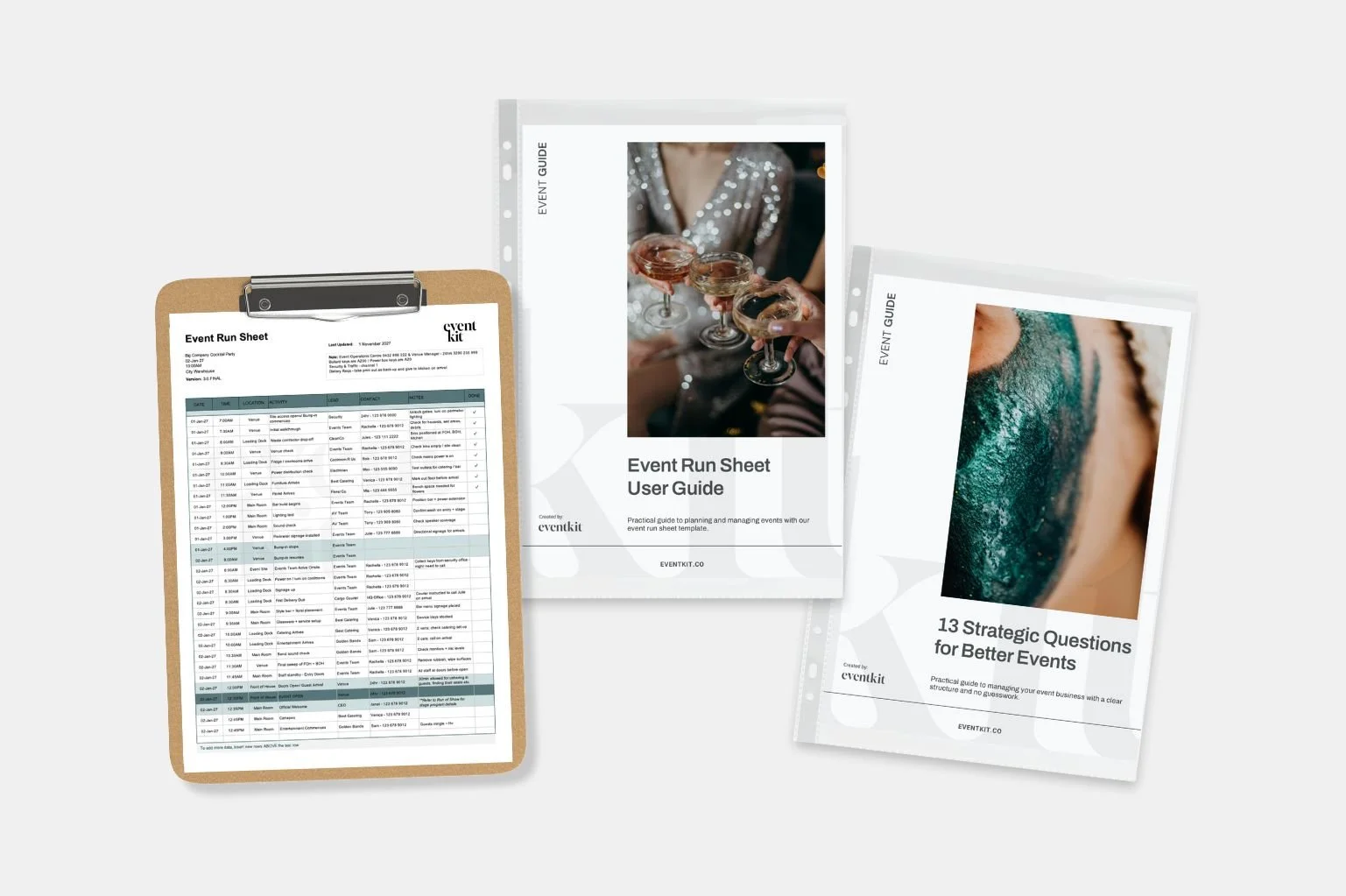
Inside the Free Event Run Sheet Template
The Event Kit template includes built-in sample content and AI prompts, so you can see how an experienced event planner would use it.
Step 2: Add Event Details
Start with the basics: event name, date, location and the event manager's contact details.
It sounds simple, but check them carefully. Run sheets get copied, updated, and shared among multiple people, and an old date, wrong phone number, or outdated venue detail can easily carry through unnoticed.
Keep this section brief. It should give someone opening the run sheet the essential event information at a glance.
As the event develops, make sure these details keep up. Your run sheet should always reflect the event you're actually delivering, not an earlier version.
Step 3: Add Event Tasks & Activity
Now start building the event day itself. Add your bump-in, event and pack-down tasks, along with their start times and locations.
A few things to keep in mind:
Keep one key task or activity per line.
Add tasks as you think of them. You can sort them into chronological order afterwards.
Include the location. For example: Main Stage, FOH or BOH.
Keep the wording short and clear. Someone should be able to scan the run sheet quickly and understand what needs to happen.
Confirm timings with the people delivering them. Don't assume a supplier can work to a time simply because you've put it in the run sheet.
I learned that early in my career. I used to build supplier timings into the schedule before checking their availability, and it made event day much harder than it needed to be.
A time on your run sheet isn't confirmed until the person responsible for it has agreed to it.
Step 4: Add Key Contacts & Notes
For each task, make it clear who is responsible and how to reach them if something needs checking or changing on event day.
The template includes columns for:
Lead: The person, team or supplier responsible for the task.
Contact: The on-the-day contact name and phone number.
Notes: Any extra information someone may need to complete the task correctly.
Use the Notes column selectively. Include information that will actually help someone on event day, rather than turning the run sheet into a storage place for every event detail.
Someone reading a line should understand what needs to happen, who owns it, and who to call if there's a problem.
Step 5: Share with Your Team
Once your run sheet is ready, get it into the hands of the people who need it.
Before sending, check:
Is every task scheduled accurately?
Are the contact details correct?
Have you confirmed supplier timings and bookings?
Does the schedule work from one activity to the next?
Not everyone needs the same level of detail. Your core event team will usually need the complete run sheet so they can see how all the moving parts fit together. A supplier, contractor or volunteer team may only need the section relevant to their role.
You might copy a supplier's key timings, access information and contact details into a separate version rather than sending them a 12-page document full of information they don't need. Give people enough context to understand where they fit, without making them search for what matters.
Then decide how people will access it on event day.
Share it through your preferred cloud platform, email relevant versions and print copies where they're useful. Some crew members will still work faster from a printed run sheet, particularly when they're moving around a site.
Common Pitfalls to Avoid
When you're building your run sheet, don't just schedule the obvious activities. Consider what needs to happen between them and whether the timing is realistic.
Stagger supplier arrivals. Plan deliveries and setup in a logical order. You don't want six trucks arriving at the loading dock at once, or the styling team arriving before the infrastructure is ready.
Allow buffer time. Deliveries run late, tasks take longer than expected, and problems need solving. Build some breathing room into your schedule, particularly before doors open.
Include briefings and rehearsals. Allow time for crew briefings, safety checks, technical testing and rehearsals. Schedule these activities, don't squeeze them in if there's time left.
Check what's missing. Walk through the event from bump-in to pack-down and look for the less obvious tasks, such as power checks, catering deliveries, supplier access and final venue inspections.
And remember, your run sheet will change as the event develops. That's normal. The key is to keep it realistic, current, and useful to the people delivering the event. As the event planner, your job is to manage schedule changes during event delivery.
Read Why Bump-In Is Always Slower Than You Think
Read What Happens When the Run Sheet Goes Off Schedule?
The Best Run Sheets Are the Clearest
A run sheet isn't about fitting every piece of information you have into one document. It's about giving people what they need to take the right action at the right time.
If you're unsure whether something belongs, ask yourself: Will this help someone know what to do on event day?
If the answer is no, it probably doesn't need to be there.
Need more than the free version? Explore Event Kit’s Run Sheet Template Bundle, with professionally structured run sheets for different event types and delivery needs, each with relevant placeholder information already built in. The bundle also includes a cue sheet, run of show and production schedule.
→ If you found this useful, feel free to share it with a fellow event planner or your event network. They’ll appreciate you passing it on.
Related Reads




Meet Your Mentor
Rachella Thomas is an award-winning event producer with more than 26 years of experience delivering major events. Her work includes the Australian Open, Commonwealth Games Queen’s Baton Relay, Melbourne Food & Wine Festival, and other renowned large-scale events and festivals.
Rachella founded Event Kit, where she turns decades of professional event know-how into practical tools for event planners worldwide.
Learn More → ABOUT
Want to try Event Kit?
Get a professional Event Run Sheet template for free!



Description
Event Planning Starter Kit
Designed for:
Designed for new event planners who want a professional starting point without building every document from scratch.
Helps you:
When you’re new to events or just an occasional event organizer.
What’s included:
EXCEL
• Event Budget
• Event Plan Timeline
• Event Run Sheet
PDF
• Event Brief Writing Guide
• Event Plan Master Checklist
• Event Risk Management Guide
• Event Run Sheet User Guide
WORD
• Event Brief
• Event Risk Assessment Matrix
Plus:
• Built-in planning tips and guidance notes
• AI prompts to help you work faster
Pairs well with:
Any collection in the shop. There's no wrong combination — grab what fits your events and build from there.
Note: This is a digital product. No physical item is shipped.
Customer Service
Within a few minutes of purchase, you’ll receive an email with a link to download your files. The download link expires after 24 hours. If you can’t find the email, please check your Spam or Junk folder.
Need help getting started?
Notes and instructions are built into our templates to give you structure, guidance and practical real-life examples. These are not blank templates. They’re designed to guide you as you use them.
Still got questions?
Template Manual
FAQs
Contact Us
Template License
Event Kit templates are licensed for use by one business or sole operator. You can edit, customize and reuse them across every client, event, and project your business handles. Add your own branding, update colors and fonts, remove sections you don't need, and adapt the content to suit you.
Read full Template License