
Template ManualEverything you need to use your Event Kit templates
A guide to help you get the most from your templates, with practical help for editing, customising and putting the tools to work.
Jump to:
Word Templates | Excel Templates | PowerPoint Templates | PDF Templates | AI Prompts | Notes and Guidance | Questions
Start Here
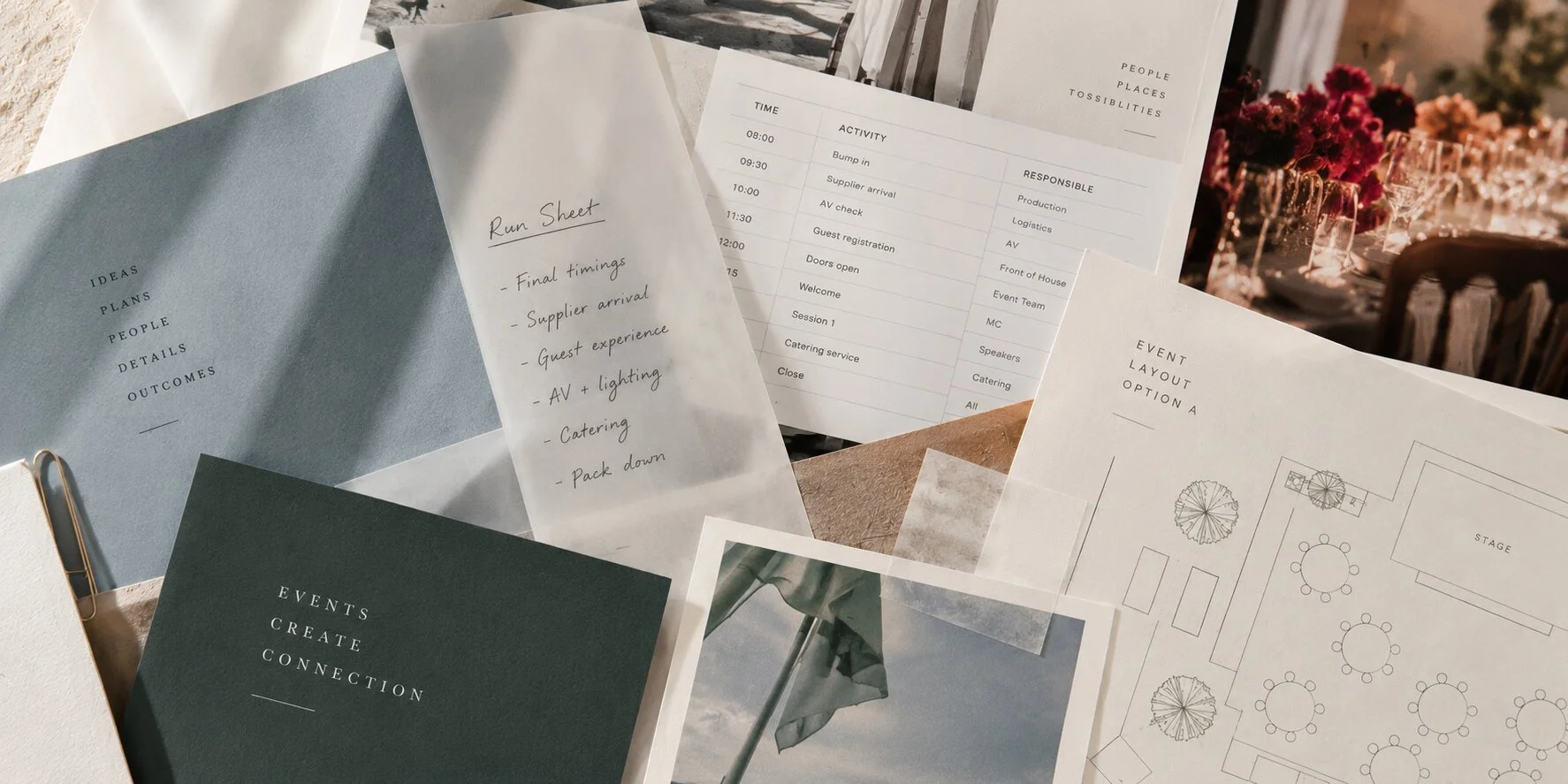
Every Event Kit template is designed to be customized, adapted and reused by event planners. They’re built around the same practical planning framework I’ve used over 26+ years delivering award-winning major events and festivals. The idea is simple: practical tools, familiar formats, and the flexibility to make them your own.
I’ve deliberately kept them in Word, Excel, PowerPoint and PDF. They’re easy to edit, easy to share and practical to use across different clients, teams and events. Because professional event planning doesn’t need complicated tools. It needs the right ones.
So how should you start working with each template?
Each template opens with a Start Here section that explains the tool's purpose. Read this section before you jump in - it's short, and it’s useful.
Before you start editing your new template, save a working copy of each file to keep the original template untouched. That gives you something clean to return to and a ready-to-use starting point for your next event.
Word Templates
The intro page
Every Word template opens with a short Start Here page. It explains what the tool is for, how it fits into your planning, and any key decisions you'll need to make before you fill it in. Read it first, then delete it or keep it for reference.
Pre-filled checklists
Some Word templates come pre-filled with planning items drawn from real event delivery. Think of them as a starting point built by someone who's already done the thinking - review them, keep what applies, and cut or add what doesn't.
Blank templates with sample data
Other templates are intentionally left blank, with sample data included to show how the structure is meant to work. The sample gives you a clear picture of what the completed version looks like, so you're never staring at an empty page wondering where to begin.
Multi-page plans, manuals, and showbooks
The larger Word templates - event management plans, volunteer manuals, showbooks - include substantial placeholder content and, where layout matters, example graphics. These are designed to be tailored to your event and brand. They're big documents built for big jobs, and the structure is already there to carry the load.
Customize the content, add your branding, and they're ready to use.
Excel Templates
Start Here and Sample Worksheets
Every Excel template opens with two worksheets: Start Here (how to use the tool) and Sample (a filled-in example showing the calculations and layout in action). They're there for a reason - read them before you start editing.
Automatic calculations
Where it's useful, templates include automated features: budget totals, Gantt chart timelines, progress tracking. The Start Here tab will flag which cells are formula-driven. As a general rule, don't edit the grey or colored cells - those are where the calculations live. The sample tab will show you what they look like when they're working correctly.
Event budgets
The budget templates automatically total figures, calculate percentages, and track spending as you go. They're built to be reliable - but only if the formula cells are left intact. The Start Here tab explains which ones to leave alone, and the Sample tab shows you what a working budget looks like in practice.
PowerPoint Templates
Presentations, proposals, and pitches
PowerPoint templates are designed for client-facing use - things like pitching to win a new client, proposals to present an event concept, sponsorship decks to win sponsorship investment, and pre-event safety briefings. The hard work is already done with our PowerPoint templates: polished layouts, logical structure, and placeholder content based on real event scenarios. All you need to do is add your content, apply your branding colours and images, and you're ready to present.
Customizing your slides
These templates are designed to be made your own. Add your logo, update the color palette to match your brand or your client's, and replace placeholder content with your event details. A polished, customized deck takes less time than you'd think. And if you’re feeling stuck, we’ve included links to ready-made, professionally designed styles in Canva and PowerPoint.
Compatibility
PowerPoint templates work in Microsoft PowerPoint, Apple Keynote, and Google Slides. Microsoft PowerPoint will give you the most accurate rendering - if you're working in Keynote or Google Slides, minor formatting adjustments may be needed, particularly around fonts and spacing.
PDF Templates
PDF templates are ready-to-use checklists and guides. Most are designed to be printed and used as-is, but if you want to edit them, here are your options.
Option 1: Adobe Acrobat Pro
Open the file in Acrobat Pro and edit directly.
Option 2: Export to Word via Acrobat
Open in Acrobat Reader or Pro, select Export PDF, choose Microsoft Word, and click Export. Edit in Word, then save back to PDF.
Option 3: Free online tools
Upload the file to a free editor like Adobe Online Editor or iLovePDF and edit from there.
Google & Apple Templates
Word and PowerPoint files convert well to Google Docs and Google Slides. Excel files can also be opened in Google Sheets, but some advanced formulas or formatting may need minor adjustments when you switch platforms. Double-check calculations before you rely on them -- especially in the budget and cue sheet templates where formula logic is more complex.
Apple Pages, Numbers, and Keynote work similarly. Most files will open cleanly, but minor formatting tweaks may be needed.
Whatever platform you choose, make sure you save a working copy, keep the original template untouched, and verify any automated calculations before you use the file.
Using AI with Your Templates
Most Event Kit templates include built-in AI prompts. You'll find two types: general prompts you can use across the collection, and template-specific prompts built for a particular tool or task.
Put them to work in two ways. First, use AI to help populate the template itself - drafting content, generating ideas, or working through a section you're unsure about. Second, use AI for tasks that flow from the template - for example, turning a completed vendor manual into a brief summary email, or converting a risk register into a concise stakeholder update. The prompts will point you in the right direction either way.
The Event Planner by Event Kit is a custom ChatGPT tool built to work with your Event Kit templates. Ask it event-specific questions, upload a template, or use it to draft and refine content as you go. It’s like your regular ChatGPT, but better because it’s trained to know Event Kit templates.
Notes, Placeholders and In-Template Guidance
Throughout your new templates, you will find notes, comments, and guidance based on how these tools have been used in real events. Some explain how to fill in a tricky section. Others are planning tips, examples, or context on why something matters. In the spreadsheets, you'll also find notes on formulas and automated fields - so you understand how the template works and don't accidentally break a calculation.
Read them as you go. They're there to answer the questions you'd otherwise have to guess at.
Once you're done, remove any notes before sharing documents with clients, suppliers, or stakeholders. They're for your reference, not theirs.
A reminder: These templates are built from real-world experience and used by professionals across the industry. But every event is different, and no template replaces your own judgment. Review and adapt the content to fit your circumstances, and get independent professional advice where it matters.
Got Questions
Still got questions? If you haven’t already looked at them, read the FAQ page and Template License pages - they cover the most common questions about products, compatibility, AI tools, downloads, licensing, and refunds.
If you still can't find what you're looking for, please don’t hesitate to contact us.