
Why Templates Are the Secret to Powerful AI
EVENT PLANNING GUIDE
Why Templates Are the Secret to Powerful AI
Updated on September 30, 2026 | Written by Rachella Thomas
There's a lot of sophisticated event management software out there. But after 26+ years in events, I still believe some of the most useful planning tools are the simplest.
A well-built spreadsheet, a well-structured event brief, or an event run sheet that everyone can understand.
These documents keep information organised, help teams work together, and make it easier to see what needs to happen next.
It's why I built Event Kit around Word, Excel and PowerPoint. They're familiar, flexible and don't require everyone involved in an event to learn another software platform.
And now that you can easily integrate them with AI, there's yet another reason why I think these tools are the best!
AI Is Only as Useful as the Information You Give It
Try asking ChatGPT to create an event budget from scratch.
You'll probably get something that looks reasonably convincing. It'll include categories for catering, venue hire, marketing and production, perhaps even a contingency allowance. But does it include the costs that actually matter for your event? Does it account for your particular suppliers, venue requirements, staffing arrangements or delivery schedule?
Probably not, without much more information from you.
This is where a professional template becomes useful. Instead of asking AI to invent a planning document, you can give it one already structured around your work.
An Event Kit budget template, for example, provides the categories and framework. You can then ask AI to help populate sections, review calculations or suggest additional costs worth investigating.
You're giving it a much better starting point.
A Good Template Does Some of the Thinking Before You Start
This is something I think gets overlooked. A professional template isn't just a nicely formatted document with a few headings. The real value is in the structure itself.
Someone has already considered what information needs to be collected, how it should be organised and what the person using the document needs to think about.
That's particularly important if you're relatively new to event planning. You might not know every question to ask when developing an event brief, or all the information that belongs in a production schedule.
A well-designed template helps guide you through those decisions. And when you introduce AI, you can ask it to work within that framework rather than start from a blank page.
What Does That Look Like in Practice?
Here are a few examples of how you might combine Event Kit templates with AI:
Event Run Sheet: Upload your draft and ask AI to identify potential timing conflicts, missing transitions or questions that need confirming with suppliers.
Event Budget: Use AI to review the budget categories, check calculations and suggest possible expenses you haven't considered.
Event Brief: Ask AI to interview you section by section, helping you turn your answers into a more complete brief.
Project Timeline: Ask AI to examine task dependencies and identify activities that may need to happen earlier.
Risk Assessment: Use AI to help identify potential hazards for further assessment, while keeping responsibility for risk evaluation and controls with the appropriate people.
None of these requires a custom-built event management platform. You're using the documents you already understand, with AI helping you work through them.
And importantly, you still need to check the results. AI doesn't know what your suppliers have agreed to, what your venue can accommodate or whether a proposed safety measure is appropriate.
Do You Really Need Another Software Platform?
I'm not suggesting sophisticated event management software doesn't have its place. For some events and organisations, specialist platforms are absolutely worth the investment.
But I've also seen how easily planning processes become unnecessarily complicated. Another subscription, another login, another system everyone needs to learn, and another place to store event information.
Sometimes, a well-structured Excel workbook or Word document does the job perfectly well. And with AI now able to help us analyse, organise, and develop information in those familiar formats, you can do even more without introducing another platform.
For independent planners, small teams and businesses managing their own events, that's worth considering.
Start With the Right Structure
The real advantage of Event Kit templates isn't that they're simple files. They're built around the practical systems and information you need to plan and deliver events.
AI can help you work faster within those systems, but the structure is what gives you a useful starting point.
You don't necessarily need more sophisticated software. Sometimes you just need better tools and a smarter way to use them.
If you'd like to put this into practice, I've written two companion guides:
Using AI With Your Event Kit Templates explains practical ways to combine AI with your event planning templates.
60+ AI Prompts for Event Planners gives you a library of prompts for event planning tasks, from budgets and run sheets to marketing and supplier management.
You can also get the professional planning tools behind both approaches in the Event Kit Shop.
Description
Trade Shows Kit
Designed for:
Corporate event planners and teams managing trade shows, exhibitions, expos and exhibitor activations.
Helps you:
Manage exhibitors, suppliers, budgets, timelines, travel and event logistics with professional planning tools built for trade shows and exhibitions.
What’s included:
EXCEL
• Accommodation and Travel Logistics
• Event Budget: Trade Shows
• Event Delivery Plan
• Event Plan Timeline: Trade Shows
• Event Run Sheet
• Event Signage Plan
• Exhibitor Project Planner
• Site Specifications for Trade Shows
PDF
• Event Run Sheet User Guide
• How to Pick the Perfect Event Venue
WORD
• Event Contact List
• Event Courier Label
• Event Kit Checklist
• Event Vendor Contract
• Exhibition Showbook
• Exhibitor Event Manual
• Exhibitor Invitation Email
• Exhibitor Invitation Proposal
• Vendor Event Manual
• Venue Comparison Chart: Corporate
• Venue Inspection Audit Checklist
Plus:
• Built-in planning tips and guidance notes
• AI prompts to help you work faster
Pairs well with:
Any collection in the shop. There's no wrong combination — grab what fits your events and build from there.
Note: This is a digital product. No physical item is shipped.
Customer Service
Within a few minutes of purchase, you’ll receive an email with a link to download your files. The download link expires after 24 hours. If you can’t find the email, please check your Spam or Junk folder.
Need help getting started?
Notes and instructions are built into our templates to give you structure, guidance and practical real-life examples. These are not blank templates. They’re designed to guide you as you use them.
Still got questions?
Template License
Event Kit templates are licensed for use by one business or sole operator. You can edit, customize and reuse them across every client, event, and project your business handles. Add your own branding, update colors and fonts, remove sections you don't need, and adapt the content to suit you.
Read full Template License
Description
Community Festivals Planning Kit
Designed for:
Festival producers, community event organizers and event planners managing large-scale, public and outdoor events.
Helps you:
Manage budgets, permits, suppliers, programming, production and event-day logistics with professional templates built for community festivals and public events.
What’s included:
EXCEL
• Event Budget: Public Events and Festivals
• Event Delivery Plan
• Event Entertainment Bookings
• Event Equipment and Supplier Bookings
• Event Plan Timeline: Festivals
• Event Production Schedule
• Event Run of Show
• Event Signage Plan
• Site Specifications for Festivals
• Stage Program Plan
PDF
• Event Brief Writing Guide
• Event Timeline for Small Festivals
POWERPOINT
• Outdoor Event Site Map
WORD
• 12 Pre-Written Emails for Planning Public Events
• Event Brief
• Event Contact List
• Event Kit Checklist
• Event Management Plan
• Event Site Safety Checklist
• Lost Child Checklist
• Lost Property Logbook
• Outdoor Venue Audit Checklist
• Public Event Permit Checklist
• Vendor Event Manual
Plus:
• Built-in planning tips and guidance notes
• AI prompts to help you work faster
Pairs well with:
Any collection in the shop. There's no wrong combination — grab what fits your events and build from there.
Note: This is a digital product. No physical item is shipped.
Customer Service
Within a few minutes of purchase, you’ll receive an email with a link to download your files. The download link expires after 24 hours. If you can’t find the email, please check your Spam or Junk folder.
Need help getting started?
Notes and instructions are built into our templates to give you structure, guidance and practical real-life examples. These are not blank templates. They’re designed to guide you as you use them.
Still got questions?
Template License
Event Kit templates are licensed for use by one business or sole operator. You can edit, customize and reuse them across every client, event, and project your business handles. Add your own branding, update colors and fonts, remove sections you don't need, and adapt the content to suit you.
Read full Template License
Description
Gala Event Planning & Awards Kit
Designed for:
Event planners producing gala dinners, awards nights, fundraising events and formal functions.
Helps you:
Keep every cue, course and celebration on schedule. Plan budgets, guests, seating, catering, stage programs and event-day delivery with professional templates built for gala and awards events.
What’s included:
EXCEL
• Awards Event Cue Sheet
• Banquet Event Order Catering Costs
• Event Budget: Gala Events
• Event Plan Timeline: Gala Events
• Event Run Sheet: Gala Events
• Event Signage Plan
• Guest List and RSVP
• Guest Seating Chart
• Stage Program Plan
PDF
• Audio Visual Tips to Improve Your Event
• Event Run Sheet User Guide
• Event Timeline for Gala Events
• Mood Board Strategy for Events
POWERPOINT
• Creative Event Plan Pitch Deck
WORD
• Awards Program Agenda Schedule Guide
• Banquet Event Order
• Event Contact List
• Event Kit Checklist
• Event Plan for Special Occasions
• Event Planning Questions for Functions
• Special Occasion Full Service Quote
• Venue Comparison Chart: Functions
Plus:
• Built-in planning tips and guidance notes
• AI prompts to help you work faster
Pairs well with:
Any collection in the shop. There's no wrong combination — grab what fits your events and build from there.
Note: This is a digital product. No physical item is shipped.
Customer Service
Within a few minutes of purchase, you’ll receive an email with a link to download your files. The download link expires after 24 hours. If you can’t find the email, please check your Spam or Junk folder.
Need help getting started?
Notes and instructions are built into our templates to give you structure, guidance and practical real-life examples. These are not blank templates. They’re designed to guide you as you use them.
Still got questions?
Template License
Event Kit templates are licensed for use by one business or sole operator. You can edit, customize and reuse them across every client, event, and project your business handles. Add your own branding, update colors and fonts, remove sections you don't need, and adapt the content to suit you.
Read full Template License
Description
Wedding Planning Kit
Designed for:
Wedding planners, event professionals and venues planning and delivering weddings and private celebrations.
Helps you:
When perfection feels non-negotiable. Manage budgets, timelines, guests, seating, catering and wedding-day logistics with professional templates built for smooth event delivery.
Included in this product:
EXCEL
• Banquet Event Order Catering Costs
• Event Budget: Weddings
• Event Plan Timeline: Weddings
• Event Run Sheet: Wedding Day
• Guest List and RSVP
• Guest Seating Chart
• Wedding Project Planner
PDF
• Audio Visual Tips to Improve Your Event
• Event Run Sheet User Guide
• Event Timeline for Weddings
• Mood Board Strategy for Events
POWERPOINT
• Creative Event Plan Pitch Deck
WORD
• Banquet Event Order
• Event Contact List
• Event Kit Checklist
• Event Photographer Contract
• Event Planning Questions for Functions
• Venue Comparison Chart: Functions
• Wedding Day Sample Schedules
• Wedding Planner Booking Form
• Wedding Planner Contract
• Wedding Planner Services Proposal Quote
• Wedding Venue Selection Checklist
• Weddings Simple To-Do Checklist
Plus:
• Built-in planning tips and guidance notes
• AI prompts to help you work faster
Pairs well with:
Any collection in the shop. There's no wrong combination — grab what fits your events and build from there.
Note: This is a digital product. No physical item is shipped.
Customer Service
Within a few minutes of purchase, you’ll receive an email with a link to download your files. The download link expires after 24 hours. If you can’t find the email, please check your Spam or Junk folder.
Need help getting started?
Notes and instructions are built into our templates to give you structure, guidance and practical real-life examples. These are not blank templates. They’re designed to guide you as you use them.
Still got questions?
Template License
Event Kit templates are licensed for use by one business or sole operator. You can edit, customize and reuse them across every client, event, and project your business handles. Add your own branding, update colors and fonts, remove sections you don't need, and adapt the content to suit you.
Read full Template License
→ If you found this useful, feel free to share it with a fellow event planner or your event network. They’ll appreciate you passing it on.
Related Reads

Starting a festival is exciting, but that’s only the beginning. Here are five things to consider before you commit, from scale and budget to your site, audience, and planning.
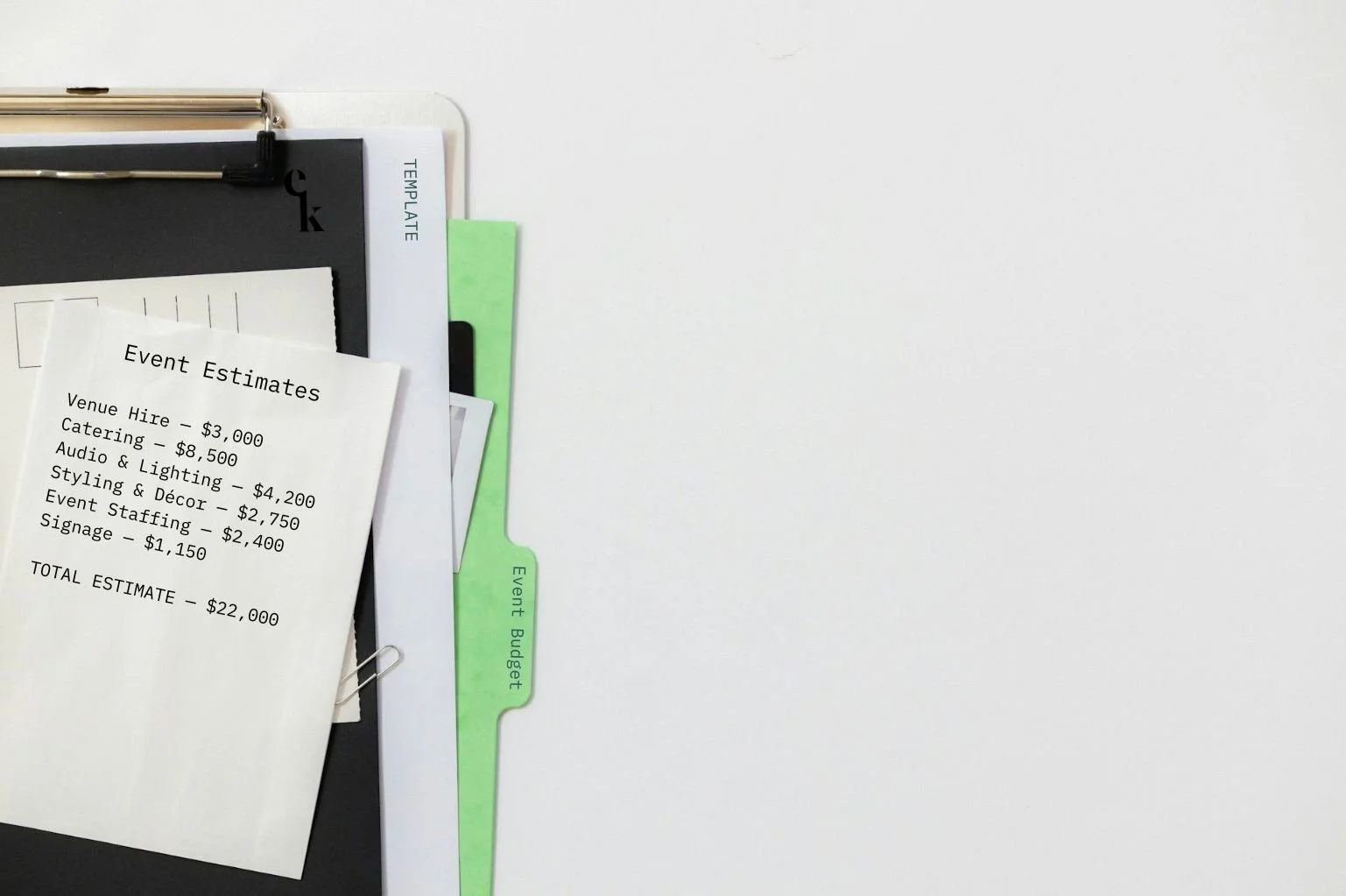
Exhibiting at a trade show? Use this practical checklist to track your booth, staff, freight, lead capture, setup, and everything else you need to manage before, during, and after the show.

Exhibiting at a trade show? Use this practical checklist to track your booth, staff, freight, lead capture, setup, and everything else you need to manage before, during, and after the show.

Meet Your Mentor
Rachella Thomas is an award-winning event producer with more than 26 years of experience delivering major events. Her work includes the Australian Open, Commonwealth Games Queen’s Baton Relay, Melbourne Food & Wine Festival, and other renowned large-scale events and festivals.
Rachella founded Event Kit, where she turns decades of professional event know-how into practical tools for event planners worldwide.
Learn More → ABOUT
Description
Event Planning Starter Kit
Designed for:
Designed for new event planners who want a professional starting point without building every document from scratch.
Helps you:
When you’re new to events or just an occasional event organizer.
What’s included:
EXCEL
• Event Budget
• Event Plan Timeline
• Event Run Sheet
PDF
• Event Brief Writing Guide
• Event Plan Master Checklist
• Event Risk Management Guide
• Event Run Sheet User Guide
WORD
• Event Brief
• Event Risk Assessment Matrix
Plus:
• Built-in planning tips and guidance notes
• AI prompts to help you work faster
Pairs well with:
Any collection in the shop. There's no wrong combination — grab what fits your events and build from there.
Note: This is a digital product. No physical item is shipped.
Customer Service
Within a few minutes of purchase, you’ll receive an email with a link to download your files. The download link expires after 24 hours. If you can’t find the email, please check your Spam or Junk folder.
Need help getting started?
Notes and instructions are built into our templates to give you structure, guidance and practical real-life examples. These are not blank templates. They’re designed to guide you as you use them.
Still got questions?
Template License
Event Kit templates are licensed for use by one business or sole operator. You can edit, customize and reuse them across every client, event, and project your business handles. Add your own branding, update colors and fonts, remove sections you don't need, and adapt the content to suit you.
Read full Template License
Description
Event Planning Essentials Kit
Designed for:
Event planners and professionals who want a complete, proven system to plan and manage an event from start to finish. This is Event Kit’s signature complete event-planning framework.
Helps you:
Manage the moving parts of an event in one organized system, with professional templates for planning, budgets, suppliers, logistics, risk and event day.
What’s included:
EXCEL
• Event Budget
• Event Budget Detailed Forecast
• Event Delivery Plan
• Event Entertainment Bookings
• Event Equipment and Supplier Bookings
• Event Plan Timeline
• Event Project Management Plan
• Event Promotions Plan
• Event Run Sheet
• Event Signage Plan
PDF
• 13 Strategic Questions for Better Events
• Essential Event Terms Glossary
• Essentials Event Planning Guide
• Event Brief Writing Guide
• Event Plan Master Checklist
• Event Promotions Planning Guide
• Event Risk Management Guide
• Event Run Sheet User Guide
• Event Ticketing Pricing Guide
• Event Venue Bookings 10-Step Guide
• Event Venue Selection Cheat Sheet
WORD
• 12 Pre-Written Emails for Planning Public Events
• 90 Post-Event Survey Questions
• Event Brief
• Event Contact List
• Event Kit Checklist
• Event Risk Assessment Matrix
• Event Sign-in Sheet
• Event Signage Installation Checklist
• Post-Event Debrief Report
• Public Event Permit Checklist
Plus:
• Built-in planning tips and guidance notes
• AI prompts to help you work faster
Pairs well with:
Any collection in the shop. There's no wrong combination — grab what fits your events and build from there.
Note: This is a digital product. No physical item is shipped.
Customer Service
Within a few minutes of purchase, you’ll receive an email with a link to download your files. The download link expires after 24 hours. If you can’t find the email, please check your Spam or Junk folder.
Need help getting started?
Notes and instructions are built into our templates to give you structure, guidance and practical real-life examples. These are not blank templates. They’re designed to guide you as you use them.
Still got questions?
Template License
Event Kit templates are licensed for use by one business or sole operator. You can edit, customize and reuse them across every client, event, and project your business handles. Add your own branding, update colors and fonts, remove sections you don't need, and adapt the content to suit you.
Read full Template License
Description
Event Planning Pro Pack
Designed for:
Event agencies, consultants and professionals managing multiple clients, projects and event types who want a comprehensive library of proven planning tools.
Helps you:
Buy once. Be ready for whatever lands next. Build a professional event-planning system you can use across different clients and event types, without creating documents and processes from scratch.
What’s included:
• Essentials Kit
• Conferences Kit
• Trade Shows Kit
• Gala Events Kit
• Weddings Kit
• Festivals Kit
• Risk Management Kit
• Volunteers Kit
• Sponsorship Kit
• Event Planning Business Kit
Plus:
• Built-in planning tips and guidance notes
• AI prompts to help you work faster
Note: This is a digital product. No physical item is shipped.
Customer Service
Within a few minutes of purchase, you’ll receive an email with a link to download your files. The download link expires after 24 hours. If you can’t find the email, please check your Spam or Junk folder.
Need help getting started?
Notes and instructions are built into our templates to give you structure, guidance and practical real-life examples. These are not blank templates. They’re designed to guide you as you use them.
Still got questions?
Template License
Event Kit templates are licensed for use by one business or sole operator. You can edit, customize and reuse them across every client, event, and project your business handles. Add your own branding, update colors and fonts, remove sections you don't need, and adapt the content to suit you.
Read full Template License
Description
Conference Planning Kit
Designed for:
Conference organizers, associations and corporate event teams planning professional conferences, meetings and business events.
Helps you:
Manage conference schedules, speakers, travel, budgets, logistics and event-day delivery with a proven set of professional planning tools.
What’s included:
EXCEL
• Accommodation and Travel Logistics
• Conference Cue Sheet
• Event Budget: Conferences
• Event Delivery Plan
• Event Plan Timeline: Conferences
• Event Run Sheet: Conferences
• Event Signage Plan
PDF
• Audio Visual Tips to Improve Your Event
• Event Run Sheet User Guide
• Event Timeline for Conferences
• How to Pick the Perfect Event Venue
WORD
• 7 Pre-Written Emails for Conference Speaker Management
• Conference Program Agenda Schedule
• Conference Showbook
• Conference Work in Progress
• Event Contact List
• Event Courier Label
• Event Kit Checklist
• Event Vendor Contract
• Vendor Event Manual
• Venue Comparison Chart: Corporate
• Venue Inspection Audit Checklist
Plus:
• Built-in planning tips and guidance notes
• AI prompts to help you work faster
Pairs well with:
Any collection in the shop. There's no wrong combination — grab what fits your events and build from there.
Note: This is a digital product. No physical item is shipped.
Customer Service
Within a few minutes of purchase, you’ll receive an email with a link to download your files. The download link expires after 24 hours. If you can’t find the email, please check your Spam or Junk folder.
Need help getting started?
Notes and instructions are built into our templates to give you structure, guidance and practical real-life examples. These are not blank templates. They’re designed to guide you as you use them.
Still got questions?
Template License
Event Kit templates are licensed for use by one business or sole operator. You can edit, customize and reuse them across every client, event, and project your business handles. Add your own branding, update colors and fonts, remove sections you don't need, and adapt the content to suit you.
Read full Template License
Description
Trade Shows Kit
Designed for:
Corporate event planners and teams managing trade shows, exhibitions, expos and exhibitor activations.
Helps you:
Manage exhibitors, suppliers, budgets, timelines, travel and event logistics with professional planning tools built for trade shows and exhibitions.
What’s included:
EXCEL
• Accommodation and Travel Logistics
• Event Budget: Trade Shows
• Event Delivery Plan
• Event Plan Timeline: Trade Shows
• Event Run Sheet
• Event Signage Plan
• Exhibitor Project Planner
• Site Specifications for Trade Shows
PDF
• Event Run Sheet User Guide
• How to Pick the Perfect Event Venue
WORD
• Event Contact List
• Event Courier Label
• Event Kit Checklist
• Event Vendor Contract
• Exhibition Showbook
• Exhibitor Event Manual
• Exhibitor Invitation Email
• Exhibitor Invitation Proposal
• Vendor Event Manual
• Venue Comparison Chart: Corporate
• Venue Inspection Audit Checklist
Plus:
• Built-in planning tips and guidance notes
• AI prompts to help you work faster
Pairs well with:
Any collection in the shop. There's no wrong combination — grab what fits your events and build from there.
Note: This is a digital product. No physical item is shipped.
Customer Service
Within a few minutes of purchase, you’ll receive an email with a link to download your files. The download link expires after 24 hours. If you can’t find the email, please check your Spam or Junk folder.
Need help getting started?
Notes and instructions are built into our templates to give you structure, guidance and practical real-life examples. These are not blank templates. They’re designed to guide you as you use them.
Still got questions?
Template License
Event Kit templates are licensed for use by one business or sole operator. You can edit, customize and reuse them across every client, event, and project your business handles. Add your own branding, update colors and fonts, remove sections you don't need, and adapt the content to suit you.
Read full Template License
Description
Community Festivals Planning Kit
Designed for:
Festival producers, community event organizers and event planners managing large-scale, public and outdoor events.
Helps you:
Manage budgets, permits, suppliers, programming, production and event-day logistics with professional templates built for community festivals and public events.
What’s included:
EXCEL
• Event Budget: Public Events and Festivals
• Event Delivery Plan
• Event Entertainment Bookings
• Event Equipment and Supplier Bookings
• Event Plan Timeline: Festivals
• Event Production Schedule
• Event Run of Show
• Event Signage Plan
• Site Specifications for Festivals
• Stage Program Plan
PDF
• Event Brief Writing Guide
• Event Timeline for Small Festivals
POWERPOINT
• Outdoor Event Site Map
WORD
• 12 Pre-Written Emails for Planning Public Events
• Event Brief
• Event Contact List
• Event Kit Checklist
• Event Management Plan
• Event Site Safety Checklist
• Lost Child Checklist
• Lost Property Logbook
• Outdoor Venue Audit Checklist
• Public Event Permit Checklist
• Vendor Event Manual
Plus:
• Built-in planning tips and guidance notes
• AI prompts to help you work faster
Pairs well with:
Any collection in the shop. There's no wrong combination — grab what fits your events and build from there.
Note: This is a digital product. No physical item is shipped.
Customer Service
Within a few minutes of purchase, you’ll receive an email with a link to download your files. The download link expires after 24 hours. If you can’t find the email, please check your Spam or Junk folder.
Need help getting started?
Notes and instructions are built into our templates to give you structure, guidance and practical real-life examples. These are not blank templates. They’re designed to guide you as you use them.
Still got questions?
Template License
Event Kit templates are licensed for use by one business or sole operator. You can edit, customize and reuse them across every client, event, and project your business handles. Add your own branding, update colors and fonts, remove sections you don't need, and adapt the content to suit you.
Read full Template License
Description
Gala Event Planning & Awards Kit
Designed for:
Event planners producing gala dinners, awards nights, fundraising events and formal functions.
Helps you:
Keep every cue, course and celebration on schedule. Plan budgets, guests, seating, catering, stage programs and event-day delivery with professional templates built for gala and awards events.
What’s included:
EXCEL
• Awards Event Cue Sheet
• Banquet Event Order Catering Costs
• Event Budget: Gala Events
• Event Plan Timeline: Gala Events
• Event Run Sheet: Gala Events
• Event Signage Plan
• Guest List and RSVP
• Guest Seating Chart
• Stage Program Plan
PDF
• Audio Visual Tips to Improve Your Event
• Event Run Sheet User Guide
• Event Timeline for Gala Events
• Mood Board Strategy for Events
POWERPOINT
• Creative Event Plan Pitch Deck
WORD
• Awards Program Agenda Schedule Guide
• Banquet Event Order
• Event Contact List
• Event Kit Checklist
• Event Plan for Special Occasions
• Event Planning Questions for Functions
• Special Occasion Full Service Quote
• Venue Comparison Chart: Functions
Plus:
• Built-in planning tips and guidance notes
• AI prompts to help you work faster
Pairs well with:
Any collection in the shop. There's no wrong combination — grab what fits your events and build from there.
Note: This is a digital product. No physical item is shipped.
Customer Service
Within a few minutes of purchase, you’ll receive an email with a link to download your files. The download link expires after 24 hours. If you can’t find the email, please check your Spam or Junk folder.
Need help getting started?
Notes and instructions are built into our templates to give you structure, guidance and practical real-life examples. These are not blank templates. They’re designed to guide you as you use them.
Still got questions?
Template License
Event Kit templates are licensed for use by one business or sole operator. You can edit, customize and reuse them across every client, event, and project your business handles. Add your own branding, update colors and fonts, remove sections you don't need, and adapt the content to suit you.
Read full Template License
Description
Wedding Planning Kit
Designed for:
Wedding planners, event professionals and venues planning and delivering weddings and private celebrations.
Helps you:
When perfection feels non-negotiable. Manage budgets, timelines, guests, seating, catering and wedding-day logistics with professional templates built for smooth event delivery.
Included in this product:
EXCEL
• Banquet Event Order Catering Costs
• Event Budget: Weddings
• Event Plan Timeline: Weddings
• Event Run Sheet: Wedding Day
• Guest List and RSVP
• Guest Seating Chart
• Wedding Project Planner
PDF
• Audio Visual Tips to Improve Your Event
• Event Run Sheet User Guide
• Event Timeline for Weddings
• Mood Board Strategy for Events
POWERPOINT
• Creative Event Plan Pitch Deck
WORD
• Banquet Event Order
• Event Contact List
• Event Kit Checklist
• Event Photographer Contract
• Event Planning Questions for Functions
• Venue Comparison Chart: Functions
• Wedding Day Sample Schedules
• Wedding Planner Booking Form
• Wedding Planner Contract
• Wedding Planner Services Proposal Quote
• Wedding Venue Selection Checklist
• Weddings Simple To-Do Checklist
Plus:
• Built-in planning tips and guidance notes
• AI prompts to help you work faster
Pairs well with:
Any collection in the shop. There's no wrong combination — grab what fits your events and build from there.
Note: This is a digital product. No physical item is shipped.
Customer Service
Within a few minutes of purchase, you’ll receive an email with a link to download your files. The download link expires after 24 hours. If you can’t find the email, please check your Spam or Junk folder.
Need help getting started?
Notes and instructions are built into our templates to give you structure, guidance and practical real-life examples. These are not blank templates. They’re designed to guide you as you use them.
Still got questions?
Template License
Event Kit templates are licensed for use by one business or sole operator. You can edit, customize and reuse them across every client, event, and project your business handles. Add your own branding, update colors and fonts, remove sections you don't need, and adapt the content to suit you.
Read full Template License
Description
Event Risk Management Kit
Designed for:
Event planners and professionals responsible for risk assessments, safety planning, emergency procedures and incident management at events.
Helps you:
Plan for the worst. Hope for the best. Identify, assess and manage event risks with professional templates for risk assessments, safety controls, emergency planning and incident reporting.
What’s included:
PDF
• Event Risk Management Guide
• Key Risks for Public Events and Festivals
POWERPOINT
• Event Volunteer Safety Briefing Presentation
WORD
• Emergency Announcement Scripts
• Event Incident Report
• Event Management Plan
• Event Risk Alcohol Safety Checklist
• Event Risk Assessment Matrix
• Event Risk Controls Checklist
• Event Risk Management Plan
• Event Risk Planning Checklist
• Event Risk Pre-Open Checklist
• Event Risk Stage Safety Checklist
• Event Site Safety Checklist
• Lost Child Checklist
• Lost Property Logbook
Plus:
• Built-in planning tips and guidance notes
• AI prompts to help you work faster
Pairs well with:
Any collection in the shop. There's no wrong combination — grab what fits your events and build from there.
Note: This is a digital product. No physical item is shipped.
Customer Service
Within a few minutes of purchase, you’ll receive an email with a link to download your files. The download link expires after 24 hours. If you can’t find the email, please check your Spam or Junk folder.
Need help getting started?
Notes and instructions are built into our templates to give you structure, guidance and practical real-life examples. These are not blank templates. They’re designed to guide you as you use them.
Still got questions?
Template License
Event Kit templates are licensed for use by one business or sole operator. You can edit, customize and reuse them across every client, event, and project your business handles. Add your own branding, update colors and fonts, remove sections you don't need, and adapt the content to suit you.
Read full Template License
Description
Volunteer Management Kit
Designed for:
Event planners, festival producers and organizations recruiting and managing volunteer teams for events.
Helps you:
Build a volunteer team that’s informed and ready. Recruit, organize and manage event volunteers with professional templates for applications, rosters, policies, communications, agreements and safety briefings.
What’s included:
EXCEL
• Event Volunteer Applications Register
• Event Volunteer Roster
PDF
• Event Volunteer Application Form Guide
• Event Volunteer Management Guide
• How to Build an Event Volunteer Policy
• Recruiting Volunteers for Events
POWERPOINT
• Event Volunteer Safety Briefing Presentation
WORD
• 7 Pre-Written Emails for Event Volunteer Management
• Event Sign-in Sheet
• Event Volunteer Agreement
• Event Volunteer Application Form
• Event Volunteer Attendance Register
• Event Volunteer Certificate
• Event Volunteer Expectations Statement
• Event Volunteer Manual
• Event Volunteer Medical Form
• Event Volunteer Position Description
• Event Volunteer Safety Induction Checklist
• Event Volunteer Safety Induction Register
• Event Volunteer Waiver Form
Plus:
• Built-in planning tips and guidance notes
• AI prompts to help you work faster
Pairs well with:
Any collection in the shop. There's no wrong combination — grab what fits your events and build from there.
Note: This is a digital product. No physical item is shipped.
Customer Service
Within a few minutes of purchase, you’ll receive an email with a link to download your files. The download link expires after 24 hours. If you can’t find the email, please check your Spam or Junk folder.
Need help getting started?
Notes and instructions are built into our templates to give you structure, guidance and practical real-life examples. These are not blank templates. They’re designed to guide you as you use them.
Still got questions?
Template License
Event Kit templates are licensed for use by one business or sole operator. You can edit, customize and reuse them across every client, event, and project your business handles. Add your own branding, update colors and fonts, remove sections you don't need, and adapt the content to suit you.
Read full Template License
Description
Event Sponsorship Kit
Designed for:
Event planners, producers and organizations seeking sponsors, commercial partners and event funding.
Helps you:
Give potential sponsors a reason to say yes. Create professional sponsorship packages, proposals and agreements that clearly communicate your event’s value to potential sponsors.
What’s included:
EXCEL
• Sponsor Benefits Schedule
PDF
• How to Build Event Sponsor Packages
POWERPOINT
• Event Sponsorship Proposal Deck
• Creative Event Plan Pitch Deck
WORD
• Event Sponsorship Agreement
Plus:
• Built-in planning tips and guidance notes
• AI prompts to help you work faster
Pairs well with:
Any collection in the shop. There's no wrong combination — grab what fits your events and build from there.
Note: This is a digital product. No physical item is shipped.
Customer Service
Within a few minutes of purchase, you’ll receive an email with a link to download your files. The download link expires after 24 hours. If you can’t find the email, please check your Spam or Junk folder.
Need help getting started?
Notes and instructions are built into our templates to give you structure, guidance and practical real-life examples. These are not blank templates. They’re designed to guide you as you use them.
Still got questions?
Template License
Event Kit templates are licensed for use by one business or sole operator. You can edit, customize and reuse them across every client, event, and project your business handles. Add your own branding, update colors and fonts, remove sections you don't need, and adapt the content to suit you.
Read full Template License
Description
Event Planning Business Kit
Designed for:
Freelance event planners, consultants and event professionals starting, managing or growing their own event planning business.
Helps you:
Build the event business you imagined when you started. Run the business behind your events with professional tools for pricing, quoting, client management, project planning, finances and day-to-day operations.
What’s included:
EXCEL
• Client Income Tracker
• Day Rate Calculator
• Event Budget Client Presentation
• Event Planning Gantt Chart
• Event Project Fee Estimator
• Event Services Quote
• Event Services Tax Invoice
• Event Team Work in Progress
• Project Management High Level
• Project Planning Calendar
PDF
• 5 Simple Ways to Get More Clients
• Annual Event Business Checklist
• Event Manager’s Task Planner
• Event Services Fee Pricing Guide
POWERPOINT
• Event Management Service Proposal
• Event Services Pitch Proposal Deck
WORD
• 20 Pre-Written Emails to Win More Clients
• Client Reverse Brief
• Event Photographer Contract
• Event Services Contract
• Event Team Meeting Agenda
• Event Team Meeting Minutes
• Event Vendor Contract
• Photograph Release Form
• Post-Event Client Debrief Report
• Wedding Planner Contract
Plus:
• Built-in planning tips and guidance notes
• AI prompts to help you work faster
Pairs well with:
Any collection in the shop. There's no wrong combination — grab what fits your events and build from there.
Note: This is a digital product. No physical item is shipped.
Customer Service
Within a few minutes of purchase, you’ll receive an email with a link to download your files. The download link expires after 24 hours. If you can’t find the email, please check your Spam or Junk folder.
Need help getting started?
Notes and instructions are built into our templates to give you structure, guidance and practical real-life examples. These are not blank templates. They’re designed to guide you as you use them.
Still got questions?
Template License
Event Kit templates are licensed for use by one business or sole operator. You can edit, customize and reuse them across every client, event, and project your business handles. Add your own branding, update colors and fonts, remove sections you don't need, and adapt the content to suit you.
Read full Template License
Want to try Event Kit?
Get a professional Event Run Sheet template for free!
Popular Reads


Five practical ways to use AI with your Event Kit templates, from completing documents and organising event information to reviewing plans and creating supporting materials.
There's a lot of sophisticated event management software out there. But after 26+ years in events, I still believe some of the most useful planning tools are the simplest.

How we use ChatGPT for event planning, from brainstorming creative ideas to marketing, event operations and working with templates.
60+ practical AI prompts for event planning, including budgets, run sheets, risk management, timelines, venues, emails and more.

Description
Conference Planning Kit
Designed for:
Conference organizers, associations and corporate event teams planning professional conferences, meetings and business events.
Helps you:
Manage conference schedules, speakers, travel, budgets, logistics and event-day delivery with a proven set of professional planning tools.
What’s included:
EXCEL
• Accommodation and Travel Logistics
• Conference Cue Sheet
• Event Budget: Conferences
• Event Delivery Plan
• Event Plan Timeline: Conferences
• Event Run Sheet: Conferences
• Event Signage Plan
PDF
• Audio Visual Tips to Improve Your Event
• Event Run Sheet User Guide
• Event Timeline for Conferences
• How to Pick the Perfect Event Venue
WORD
• 7 Pre-Written Emails for Conference Speaker Management
• Conference Program Agenda Schedule
• Conference Showbook
• Conference Work in Progress
• Event Contact List
• Event Courier Label
• Event Kit Checklist
• Event Vendor Contract
• Vendor Event Manual
• Venue Comparison Chart: Corporate
• Venue Inspection Audit Checklist
Plus:
• Built-in planning tips and guidance notes
• AI prompts to help you work faster
Pairs well with:
Any collection in the shop. There's no wrong combination — grab what fits your events and build from there.
Note: This is a digital product. No physical item is shipped.
Customer Service
Within a few minutes of purchase, you’ll receive an email with a link to download your files. The download link expires after 24 hours. If you can’t find the email, please check your Spam or Junk folder.
Need help getting started?
Notes and instructions are built into our templates to give you structure, guidance and practical real-life examples. These are not blank templates. They’re designed to guide you as you use them.
Still got questions?
Template Manual
FAQs
Contact Us
Template License
Event Kit templates are licensed for use by one business or sole operator. You can edit, customize and reuse them across every client, event, and project your business handles. Add your own branding, update colors and fonts, remove sections you don't need, and adapt the content to suit you.
Read full Template License